a-b-c Calculations
View Image
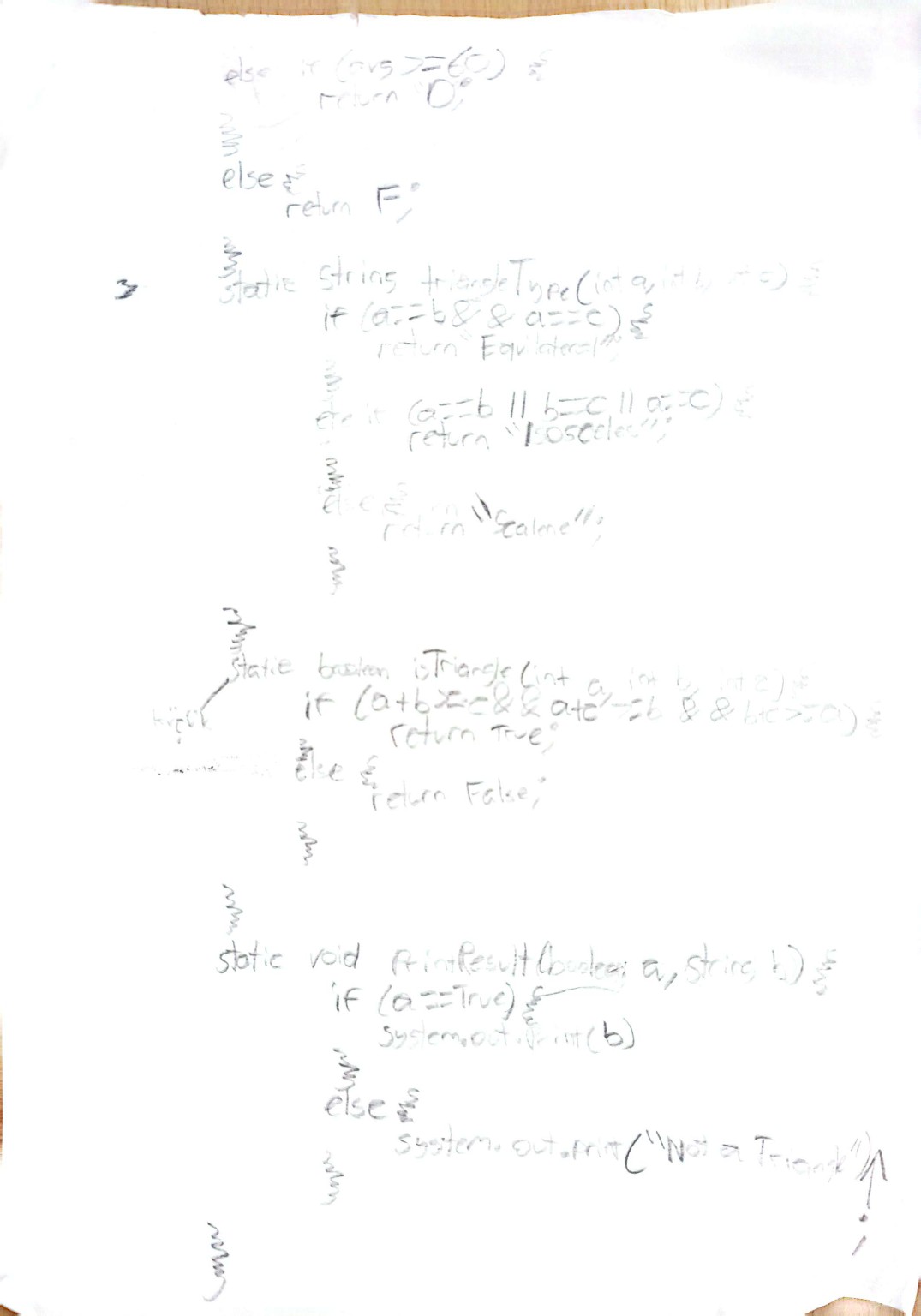
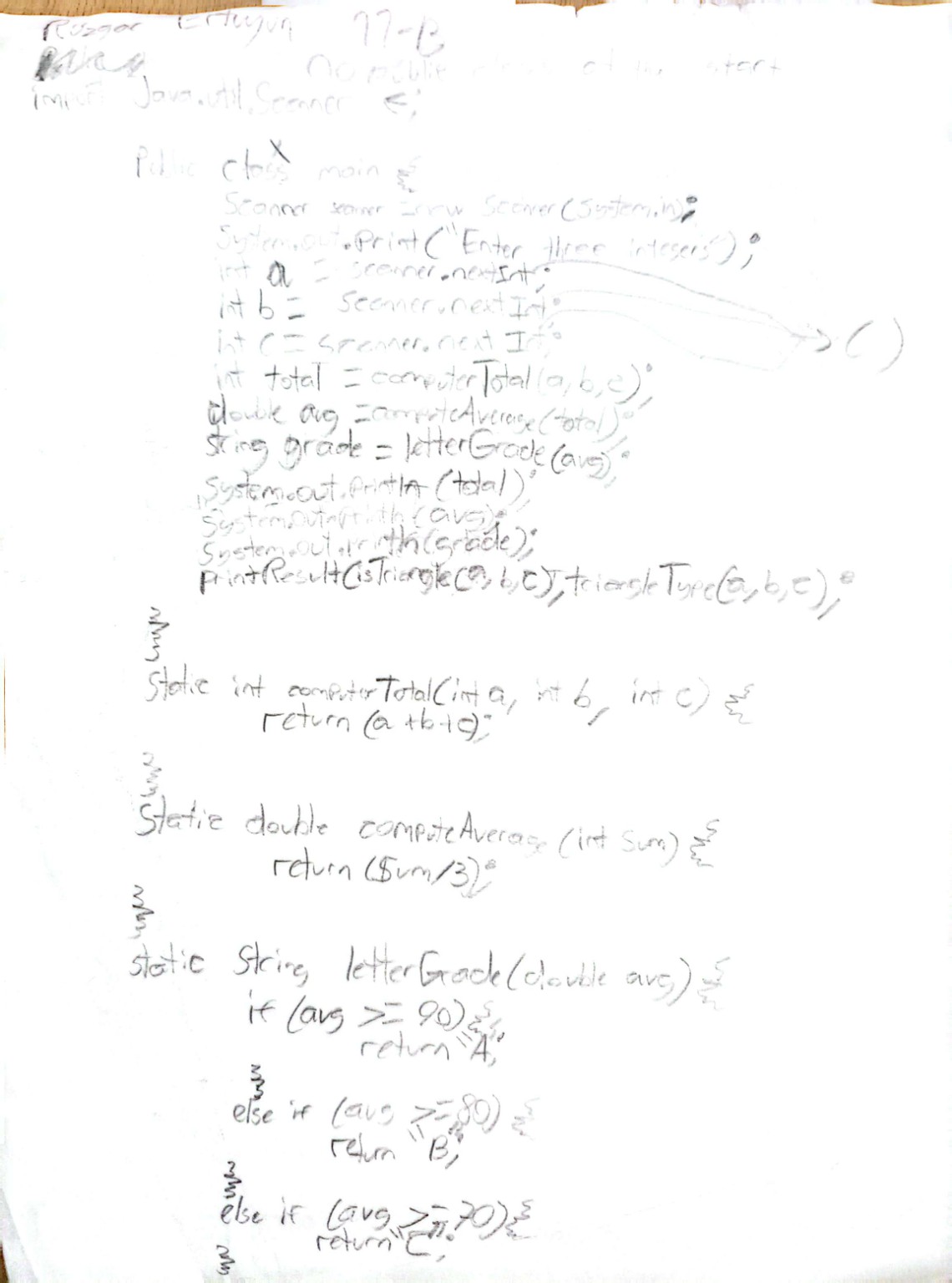
Magpie is a College Board project consisting of 12 labs. The project requires you to create parts of a chatbot that will respond to the user with a variety of responses that are chosen based on the user’s message and luck.
What I learned during the project:
1.1 Introduction to Algorithms, Programming, and Compilers
Algorithm → Step-by-step procedure to solve a problem.
Sequencing → Instructions executed in order.
IDE → Tool to write, run, and debug code.
Program start → public class and main() method.
Output → System.out.println()
Syntax → Statements end with ; and code blocks {}
Compiler → Translates Java to bytecode, detects syntax errors.
Logic errors → Runs but wrong results.
Runtime errors → Crashes during execution.
1.2 Variables and Data Types
Variable → Memory storage with name and type.
Primitive types → int, double, boolean.
Reference types → Objects like String.
Strings → Sequence of characters, immutable.
1.3 Expressions and Output
Literals → Fixed values like 42, "Hello".
Operators → +, -, *, /, %
Integer division → int ÷ int gives int; double ÷ int → double
Remainder → %
Operator precedence → * / % before + -
Divide by 0 → ArithmeticException
1.4 Assignment Statements and Input
Assignment → = stores value
Scanner → For user input
Scanner in = new Scanner(System.in);
int number = in.nextInt();
1.5 Casting and Range of Variables
Casting → (int), (double) to convert types
double → int truncates decimals
int in double expression → auto-widened
Rounding → (int)(x + 0.5)
Ranges → Integer.MAX_VALUE, Integer.MIN_VALUE
Overflow → Wraparound
Double rounding error → Approximation in decimal
1.6 Compound Assignment Operators
x++ → Increment x by 1
x += y → x = x + y
x *= y → x = x * y
1.7 API and Libraries
Library → Collection of classes
API → Shows attributes + methods of classes
Packages → Groups of related classes
1.8 Documentation with Comments
Single-line comment → // comment
Multi-line comment → /* comment */
Javadoc comment → /** comment */
Preconditions → Must be true before a method runs
Postconditions → Guaranteed true after method runs
1.9 Method Signatures
Method → Named block of code
Parameters → Variables in definition
Arguments → Values passed
Call by value → Copies value
Overloading → Same name, different parameters
1.10 Calling Class Methods
Static methods → Belong to class
Syntax → ClassName.method()
Return types → void → no value, others → value returned
1.11 Math Class
Static methods → Math.abs(), Math.pow(), Math.sqrt(), Math.random()
Random integer in range → (int)(Math.random() * range) + min
1.12 Objects: Instances of Classes
Class → Blueprint
Object → Instance of class
Attributes → Variables
Methods → Behaviors
All inherit from Object
1.13 Object Creation and Storage (Instantiation)
Create objects → ClassName obj = new ClassName();
Constructor → Special method same name as class
Overloading constructors → Different parameters
1.14 Calling Instance Methods
Syntax → object.method()
Null object → NullPointerException if calling a method
1.15 String Manipulation
String → Immutable object
Concatenation → + or +=
Common methods:
length(), substring(start,end), indexOf(), equals(), compareTo()
Indexing starts at 0
2.1 Algorithms with Selection and Iteration
Algorithm → A step-by-step process to solve a problem.
Selection → Choosing between paths using conditions (if statements).
Iteration → Repeating actions using loops (while, for).
if (grade >= 90) {
    System.out.println("A");
} else {
    System.out.println("Not A");
}

while (count < 5) {
    System.out.println(count);
    count++;
}
2.2 If Statements and Control Flow
if (x > 0) {
    System.out.println("Positive");
}

if (score >= 90) {
    System.out.println("A");
} else if (score >= 80) {
    System.out.println("B");
} else {
    System.out.println("C or below");
}
2.3 Boolean Expressions
boolean passing = score >= 60;
2.4 Compound Boolean Expressions
if (age > 12 && age < 20) {
    System.out.println("Teenager");
}
if (!(x > 0)) {
    System.out.println("x is not positive");
}
2.5 De Morgan’s Laws
!(x > 0 && y > 0) → x <= 0 || y <= 0
!(x < 10 || y < 10) → x >= 10 && y >= 10
2.6 Comparing Boolean Expressions
!(isCritical && !(isLogged || isResponded))
!isCritical || isLogged || isResponded
2.7 while Loops
int count = 0;
while(count < 5) {
    System.out.println(count);
    count++;
}
2.8 for Loops
for(int i = 0; i < 5; i++) {
    System.out.println(i);
}
2.9 Implementing Selection and Iteration Algorithms
for(int i = 1; i <= 10; i++) {
    if(i % 2 == 0) {
        System.out.println(i + " is even");
    } else {
        System.out.println(i + " is odd");
    }
}
2.10 Implementing String Algorithms
String text = "CodeHS";
for(int i = 0; i < text.length(); i++) {
    System.out.println(text.charAt(i));
}
2.11 Nested Iteration
for(int i = 1; i <= 3; i++) {
    for(int j = 1; j <= 2; j++) {
        System.out.println("i=" + i + ", j=" + j);
    }
}
2.12 Informal Run-Time Analysis
Single loop → O(n) // time grows linearly
Nested loop → O(n^2) // time grows quadratically
Helps predict performance without exact timing
3.1 Abstraction and Program Design
Break complex problems into smaller parts
Focus on essential features, hide unnecessary details
Use classes/methods to structure programs
Plan objects + behaviors before coding
Improves readability & maintainability
3.2 Impact of Program Design
Good design reduces bugs
Clear class responsibilities
Reusable code prevents duplication
Consistent structure improves teamwork
Bad design → complexity & harder debugging
3.3 Anatomy of a Class
Class = blueprint for objects
Instance variables store state
Methods define behavior
Constructors initialize variables
Access modifiers protect data
this refers to current object
3.4 Constructors
Used to initialize objects
Same name as class, no return type
Sets initial variable values
Default constructor exists only if none written
Can overload constructors
3.5 Methods: How to Write Them
Header: access modifier, return type, name, parameters
Body: code that runs
return sends back values
Parameters give input
Organizes code into reusable blocks
3.6 Methods: Passing and Returning References
Objects passed by reference
Changing inside method affects original
Returning object returns same reference
Primitives passed by value
Important for avoiding unintended changes
3.7 Class Variables and Methods
static variables shared by all objects
static methods belong to class
Used for utilities/shared data
Access via ClassName.method()
Cannot access instance vars without object
3.8 Scope and Access
variables defined in an indented part cannot be used outside.
When method parameter and instance variable names are same the variable
in the method parameter is used.
3.9 "this" Keyword
When instance variable and method parameter names are same this.variablename
can be used to access instance variable.
this keyword can also be used to refer to current object inside of a method.
4.1 Ethical and Social Issues Around Data Collection
Data collection → Gathering information from users or systems
Privacy → Users may not know what data is collected
Consent → Ethical programs inform users and ask permission
Bias → Data sets may unfairly represent groups
Security → Data breaches can expose personal info
Programmers are responsible for protecting user data
4.2 Introduction to Using Data Sets
Data set → Collection of related values
Often stored using arrays
Allows pattern detection and analysis
Used to compute statistics (sum, average, max, min)
Data may come from input, files, or external sources
4.3 Array Creation and Access
Array → Stores multiple values of same type
Fixed size once created
Indexing starts at 0
Last index = length - 1

int[] nums = new int[5];
int[] nums = {1, 2, 3};

Access element → nums[index]
Invalid index → ArrayIndexOutOfBoundsException
4.4 Array Traversals
Traversal → Visiting each array element
Commonly uses for or enhanced for loops
Used to sum, count, find max/min
Loop bounds must use array.length
Enhanced for loop is read-only
Index-based loop required to modify values
4.5 Implementing Array Algorithms
Array algorithms solve common problems
Examples:
- Finding max or min
- Calculating average
- Searching for a value
- Counting occurrences

Usually requires:
- Traversal
- Conditional logic
- Tracking variables (sum, count, max)

Must handle edge cases like empty arrays
4.6 Using Text Files
Text files allow programs to read stored data
Useful for large or persistent data sets
File data is often stored into arrays
Steps:
- Open file
- Read values
- Process data
- Close file

Files may contain numbers, strings, or mixed data
Raises privacy and security concerns
4.7 Wrapper Classes
Wrapper class → Object version of primitive type
int → Integer
double → Double
char → Character
boolean → Boolean

Required for ArrayList
Autoboxing → Automatic primitive → object conversion
Unboxing → Object → primitive
Allows use of methods with primitive data
4.8 ArrayList Methods
ArrayList → Resizable array

add(value) → Adds to end
add(index, value) → Inserts at index
get(index) → Returns element
set(index, value) → Replaces element
remove(index) → Deletes element
size() → Number of elements
clear() → Removes all elements

Stores objects, not primitives
4.9 ArrayList Traversals
Traversal → Visiting each element in the list

for loop → Needed to modify elements
enhanced for loop → Read-only access

Use .size() for loop bounds

Common uses:
- Sum values
- Count matches
- Find max/min
- Print elements
4.10 Implementing ArrayList Algorithms
Same logic as array algorithms but dynamic size

Common tasks:
- Searching for a value
- Finding max/min
- Counting occurrences
- Removing elements that meet a condition
- Inserting at specific position

When removing during traversal → go backwards to avoid skipping elements
4.11 2D Array Creation and Access
2D array → Array of arrays (table/grid)

int[][] grid = new int[rows][cols];

grid[row][col] → Access element

grid.length → Number of rows
grid[0].length → Number of columns

Used for:
- Game boards
- Seating charts
- Images
4.12 2D Array Traversals
Requires nested loops

Outer loop → Rows
Inner loop → Columns

Used to:
- Print all values
- Sum rows or columns
- Search for a value
- Count matches
4.13 Implementing 2D Array Algorithms
Common tasks:
- Find largest or smallest value
- Row sum / column sum
- Count specific values
- Replace values
- Check patterns in grid

Requires:
- Nested traversal
- Tracking variables
- Conditional logic
4.14 Searching Algorithms
Linear search → Checks each element
Works on unsorted data
O(n)

Binary search → Requires sorted data
Repeatedly checks middle value
Eliminates half each step
O(log n)

Binary search is much faster for large data sets
4.15 Sorting Algorithms
Sorting → Rearranging elements in an array or ArrayList into a specific order

AP CSA focuses on:
Selection Sort
Insertion Sort

Selection Sort
- Find the smallest element in the unsorted portion
- Swap it with the first unsorted position
- Repeat until sorted

Idea:
for each index i
  find smallest value from i → end
  swap with element at i

Insertion Sort
- Builds a sorted section at the beginning
- Each new element is inserted into the correct place
- Elements shift right to make space

Idea:
for each element
  move it left until it is in correct position

Both algorithms use:
- Array traversal
- Comparisons
- Swapping elements
4.16 Recursion
Recursion → A method that calls itself

Two required parts:

Base Case
- Condition that stops recursion

Recursive Case
- Method calls itself with a smaller problem

Example structure:

public int example(int n)
{
  if (n == 0)
    return baseValue;

  return example(n - 1);
}

Each recursive call:
- Moves toward the base case
- Reduces the problem size

If there is no base case → infinite recursion → StackOverflowError
4.17 Recursive Searching and Sorting
Recursion can be used with searching and sorting algorithms

Recursive Binary Search
- Works on sorted arrays
- Check middle element
- If target is smaller → search left half
- If larger → search right half
- Continue until element found or range is empty

Idea:
check middle
if equal → return index
if smaller → search left
if larger → search right

Recursive algorithms often divide problems into smaller subproblems
until reaching a base case.
🎥 Unit 1 & 2 Notes Explanation Video